Featured
Devices & Buying Advice
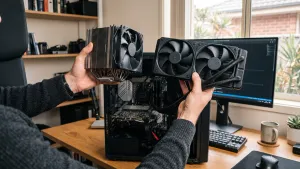
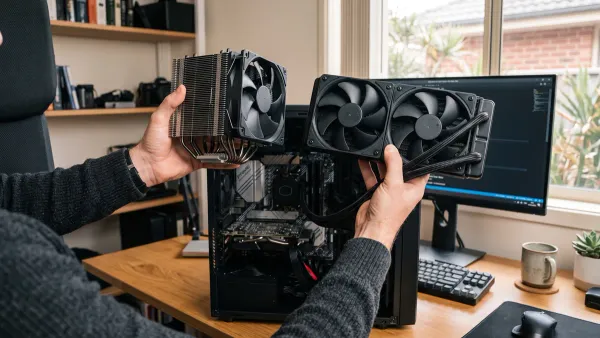
Air vs Liquid Cooling for PC: Which Is Right for You?
Compare air coolers, AIO liquid cooling, case airflow, thermal paste, compatibility and safety to choose the right cooling for your PC.
Resources
Practical advice on keeping your computer, network, and devices running well — from the team at Perth Computer Experts.
No matching articles on this page. Try another phrase or browse by topic.
Compare air coolers, AIO liquid cooling, case airflow, thermal paste, compatibility and safety to choose the right cooling for your PC.
Compare air coolers, AIO liquid cooling, case airflow, thermal paste, compatibility and safety to choose the right cooling for your PC.
Use this practical checklist to test a replacement laptop screen, diagnose common display faults safely and decide when the repair needs attention.
Find out why a laptop screen flickers, how to separate software from hardware faults, which fixes are safe, and when to arrange a repair.
In today’s fast-paced business environment, maintaining efficient IT systems is critical to productivity. Technical issues can disrupt workflows, causing delays and frustration. One of the most effective solutions to these challenges is having professional technicians visit your location for onsite support. This blog will explore the benefits of onsite
In the modern business world, technology is the backbone of daily operations. From managing communications to processing data, businesses rely heavily on IT systems. However, when technology fails, the impact on productivity can be significant. This is where onsite repair services come into play. These services address technical issues directly
In today’s fast-paced business environment, downtime can mean lost productivity, revenue, and customer trust. For companies reliant on IT systems, even a minor technical issue can snowball into significant disruptions. This is where onsite computer repairs play a vital role. By providing swift, tailored, and professional IT support directly
No signal after a GPU upgrade? Check the monitor, power, card seating, drivers and compatibility in a safe order before blaming the graphics card.
A safe, model-specific guide to diagnosing BIOS update problems, preparing for rollback or recovery, and knowing when to stop and get help.
Create a Windows 11 bootable USB, protect your files, choose the right reinstall path and restore your computer safely after installation.