
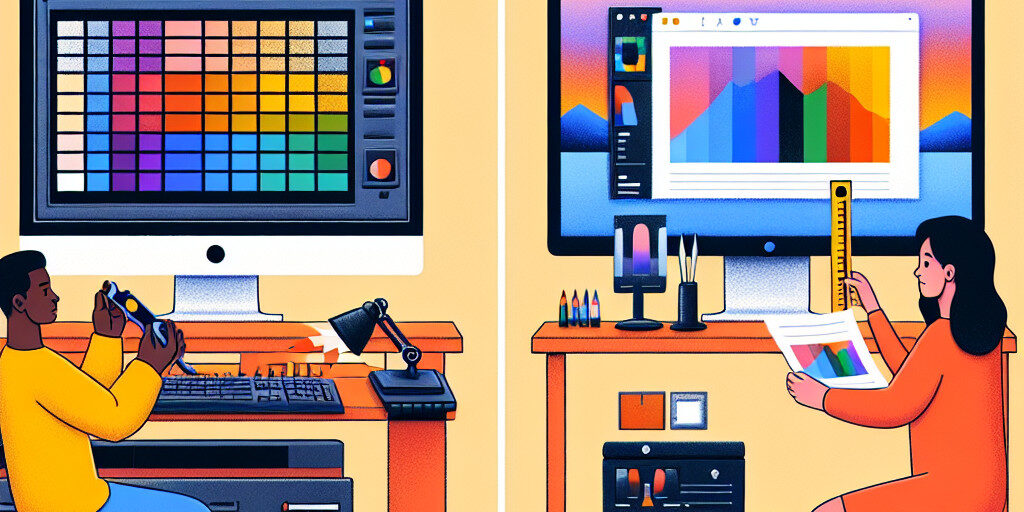
For anyone working with digital images, video editing, or even just enjoying high-quality media on their computer or gaming monitor, screen calibration and colour correction are essential practices. But do you know the difference between the two? Many people use these terms interchangeably, yet they refer to distinct processes that impact how colours appear on your screen. Understanding the difference between screen calibration vs colour correction can drastically improve your visual experience and ensure that your display settings are optimal.
In this article, we’ll break down what screen calibration and colour correction mean, how they differ, and why each is crucial for different applications. Whether you’re a professional photographer, a video editor, or a gamer, understanding these concepts will help you get the most out of your display. By the end of this post, you’ll have a clear understanding of when and why to use each of these processes.
What is Screen Calibration?
1. Why is Screen Calibration Important?
Screen calibration is the process of adjusting a display’s settings to ensure that colours, brightness, contrast, and other visual aspects are as accurate as possible. This ensures that what you see on the screen matches the intended design or representation of the content. Calibration is especially crucial in environments where colour accuracy is important, such as photography, video editing, or design.
A properly calibrated screen displays true-to-life colours and allows professionals to make precise decisions when editing images or video. Additionally, for casual use, it ensures that your monitor is displaying images in the best possible way, with vibrant colours and sharp contrast.
2. How Screen Calibration Impacts Your Display
A calibrated display will:
- Show accurate colour reproduction, ensuring what you see matches what was intended by the creator.
- Offer better contrast levels, making sure dark areas are visible without being too bright or too dark.
- Provide consistent brightness across the screen for better visibility and comfort.
- Prevent colour drift, where colours change over time or with different lighting conditions.
What is Colour Correction?
1. The Role of Colour Correction in Digital Media
Colour correction involves adjusting and correcting the colours in an image or video to achieve the desired look, fix mistakes, or match a specific standard. Unlike screen calibration, which is focused on the accuracy of your display, colour correction addresses the colours in the media itself.
For example, in a photo editing program, you might adjust the colour balance, hue, saturation, or contrast of an image to correct an underexposed shot or to match a specific colour profile. In video editing, colour correction helps correct lighting issues, white balance, and inconsistencies between different shots.
2. Why Colour Correction is Essential for Video and Photography
Colour correction is essential because it:
- Helps achieve the desired artistic effect in photographs or video.
- Ensures consistency across different shots, lighting conditions, or devices.
- Fixes colour imbalances caused by improper lighting or camera settings.
- Matches colours to specific industry standards, such as for film or broadcast.
Key Differences Between Screen Calibration and Colour Correction
1. Purpose and Use
- Screen Calibration: Focuses on setting up your display to show accurate colours, contrast, and brightness. This process helps ensure your monitor displays content as the creator intended, with no distortion or incorrect colours.
- Colour Correction: Primarily used to adjust the colours of images or videos after they have been captured. It’s a way to tweak media to achieve the desired aesthetic, fix errors, or ensure consistency.
2. Process and Tools
- Screen Calibration: This process usually involves using calibration tools such as colourimeters, spectrometers, or built-in calibration software. The goal is to set up the monitor to ensure accurate output.
- Colour Correction: Typically done using photo editing or video editing software, such as Adobe Photoshop, Lightroom, or DaVinci Resolve. Here, the editor works directly with the content to adjust colours, exposure, and lighting.
3. Applications
- Screen Calibration: Crucial for anyone who works with digital media, including photographers, video editors, and designers. It ensures that the colours displayed on the screen match industry standards.
- Colour Correction: Used by photographers, videographers, and digital artists to adjust the colours of content for desired effects or to fix issues such as lighting problems, overexposure, or colour imbalances.
When to Use Screen Calibration
1. For Gaming and Entertainment
While screen calibration is not as critical in gaming as in professional work, it can significantly enhance the visual quality of your gaming experience. A calibrated monitor offers better contrast, accurate colours, and clarity, which are especially important in competitive gaming or for enjoying visually-rich games.
2. For Professional Use (Photography, Video Editing)
For professionals in the fields of photography, video editing, and graphic design, screen calibration is a must. It ensures that the colours and details you are working with match those that will be displayed in print or on other monitors, helping you make more accurate decisions when editing content.
When to Use Colour Correction
1. Colour Correction in Photography and Video Production
Colour correction is a fundamental part of photography and video editing workflows. It is used to adjust photos or videos for factors like:
- Correcting white balance to make sure whites appear truly white.
- Fixing colour casts caused by poor lighting.
- Matching colours across different devices.
2. Colour Correction for Digital Artwork
For digital artists working in programs like Photoshop, colour correction ensures that the artwork displays the correct hues, brightness, and contrasts. It’s also crucial for artists who want to reproduce their work accurately in print or on different screens.
The Impact of Screen Calibration and Colour Correction on Your Work
1. Enhanced Visuals and Accuracy
Using both screen calibration and colour correction together ensures that the colours you see on your monitor are as accurate as possible, whether you’re editing images, watching a film, or gaming. This can lead to more accurate editing, better visual effects, and a more professional result.
2. Reducing Errors and Enhancing Productivity
When both processes are used effectively, errors related to colour imbalances and visual inaccuracies are reduced. This allows professionals to focus more on creativity and problem-solving without worrying about whether their colours are off.
Best Tools for Screen Calibration
1. Top Calibration Devices
- X-Rite i1Display Pro: A professional-grade calibration tool that ensures accurate colour reproduction.
- Datacolor SpyderX Pro: A colourimeter offering fast and precise calibration.
- CalMAN Calibration Software: A comprehensive software for calibrating both displays and projectors.
2. Calibration Software for Different Needs
- Windows Display Calibration: Built-in tool for basic calibration on Windows machines.
- macOS ColorSync: macOS’ native colour calibration tool for Apple displays.
Best Tools for Colour Correction
1. Colour Correction Software for Beginners and Pros
- Adobe Lightroom: Popular for photo colour correction, with easy-to-use sliders and professional tools.
- DaVinci Resolve: Known for its advanced colour grading and correction features used in film and video production.
2. Professional Colour Grading Tools
- Adobe Premiere Pro: Professional video editing software with powerful colour correction tools.
- FilmLight Baselight: A high-end colour grading system used by Hollywood studios.
How to Combine Screen Calibration and Colour Correction for Optimal Results
1. Integrating Both Processes for Superior Visual Quality
The best results occur when both screen calibration and colour correction are used together. Start by calibrating your monitor to ensure that you are viewing accurate colours, then use colour correction techniques to adjust and perfect the images or video content itself.
2. Workflow Best Practices
- Calibrate your monitor before starting any editing work.
- Use high-quality colour correction tools to adjust your media.
- Ensure consistency across devices by using similar calibration settings and colour correction adjustments.
Conclusion and Call to Action
Understanding the difference between screen calibration vs colour correction is essential for anyone who works with digital content, from casual gamers to professional photographers. While screen calibration ensures that your display is showing accurate colours and details, colour correction allows you to adjust and perfect the content you’re working on.
If you’re looking to improve the colour accuracy of your display or need assistance with colour correction for your projects, the Perth Computer Experts are here to help. Contact us today to ensure your screen and workflow are optimised for the best results!
