
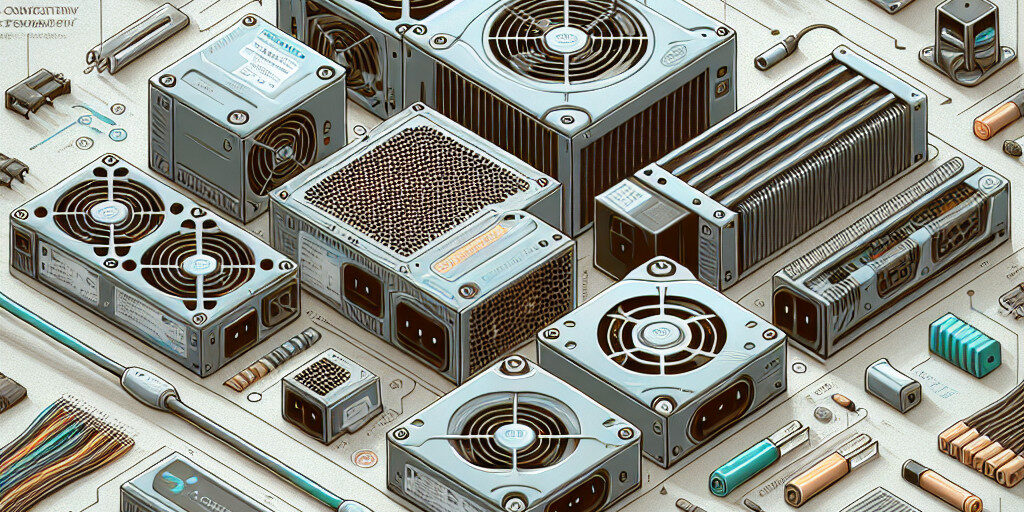
When building or upgrading a computer, selecting the right power supply unit (PSU) is often overlooked. However, the PSU is one of the most important components in your system, as it provides the necessary power for all the parts to function properly. A poorly chosen or underpowered PSU can lead to system instability, random shutdowns, and potentially damage your components.
In this guide, we’ll delve into the importance of choosing the right power supply for your computer. We’ll cover the key factors you need to consider, such as wattage, efficiency, and form factor. Whether you’re building a gaming rig, a workstation, or a home PC, this article will provide you with everything you need to select the perfect PSU for your system.
Why Choosing the Right Power Supply is Important
The power supply unit (PSU) is often considered the heart of your computer, providing the required power to all other components. Without a reliable and adequately rated PSU, your computer may suffer from performance issues, instability, or even permanent damage to vital components like the motherboard, CPU, or GPU.
1. Impact of an Incorrect PSU
- Underpowered PSUs: A PSU that provides insufficient power for your components can result in system instability, crashing, or unexpected shutdowns. Over time, this can lead to wear and tear on the components, causing permanent damage.
- Overpowered PSUs: While it may seem like a good idea to get a PSU with a higher wattage than required, this can be inefficient and unnecessarily costly. It also may lead to wasted energy and heat production.
- Quality of PSU: Low-quality PSUs are often made with cheaper components that can fail, even if they have the correct wattage. A reputable brand with a solid warranty is essential to ensure long-term reliability.
Choosing the right PSU means your system will run more efficiently, have a longer lifespan, and be less likely to encounter unexpected issues.
Understanding PSU Wattage: How Much Power Do You Need?
One of the most critical factors in choosing a PSU is understanding how much power your system needs. This depends on the power consumption of all your components, including the motherboard, CPU, GPU, RAM, storage devices, and any peripherals.
1. Factors that Affect Power Requirements
- CPU: High-performance CPUs, especially those from the Intel i7/i9 or AMD Ryzen series, require more power.
- GPU: Graphics cards are one of the most power-hungry components. High-end gaming or professional GPUs require more wattage, especially under load.
- Motherboard and Storage Devices: While these components don’t consume as much power as the CPU or GPU, they still contribute to your system’s overall power requirement.
- Peripherals: USB devices, external drives, and other connected peripherals also draw power from the PSU, so it’s essential to account for them in your calculations.
2. Calculating Your Wattage Needs
To determine how much wattage your PSU should provide, you can either manually calculate the power consumption of each component or use an online PSU calculator. These calculators consider your components and suggest a wattage that will provide safe, reliable power.
Here’s a general guideline:
- Basic systems (Office work, browsing): 300-450W PSU
- Mid-range gaming PC: 500-650W PSU
- High-end gaming or workstation builds: 750-1000W PSU
- Extreme overclocking setups or multiple GPUs: 1000W+ PSU
Always aim for a PSU with a little more wattage than your system’s estimated need to account for power spikes and future upgrades.
Power Supply Efficiency: Why It Matters
Power supply efficiency indicates how well a PSU converts the AC power from your wall socket into the DC power your components need. A higher efficiency means less wasted energy, less heat, and lower electricity costs.
1. PSU Efficiency Ratings
Efficiency is typically represented by the 80 PLUS certification system, which rates PSUs from 80 PLUS Bronze to 80 PLUS Titanium. The higher the rating, the more efficient the PSU is at converting power.
- 80 PLUS Bronze: 82% efficient at 20%, 50%, and 100% loads.
- 80 PLUS Silver: 85% efficient at 50% load.
- 80 PLUS Gold: 87% efficient at 50% load.
- 80 PLUS Platinum: 90% efficient at 50% load.
- 80 PLUS Titanium: 92% efficient at 50% load.
2. Benefits of a High-Efficiency PSU
- Lower electricity bills: More efficient PSUs waste less power, lowering your energy consumption.
- Reduced heat generation: More efficient PSUs generate less heat, which can improve your system’s overall cooling.
- Longevity: High-efficiency PSUs tend to last longer and are less prone to failure.
Choosing an 80 PLUS Gold or higher PSU is typically recommended for gaming PCs or workstations to ensure both efficiency and longevity.
Choosing the Right Form Factor for Your PSU
PSUs come in different form factors to fit different types of computer cases. The most common form factors are ATX and SFX.
1. ATX Form Factor
- Standard PSU size.
- Fits most full-sized and mid-tower cases.
- Provides a wide range of wattages and features.
2. SFX Form Factor
- Smaller PSU size.
- Designed for smaller cases like mini-ITX builds.
- Typically has lower wattage options compared to ATX units.
Make sure the PSU’s form factor matches the space in your case. If you’re building a compact system, an SFX PSU will be the better choice.
Modular vs. Non-Modular PSUs: Which is Best for You?
PSUs come in two primary types: modular and non-modular. The difference lies in how the cables are attached to the unit.
1. Modular PSUs
- Allows you to attach only the cables you need, reducing cable clutter.
- Better airflow and easier cable management.
- More expensive than non-modular units.
2. Non-Modular PSUs
- All cables are permanently attached to the PSU.
- Less expensive.
- Can result in more cable clutter inside the case.
If you’re building a high-end system with a lot of components or care about aesthetics and airflow, a modular PSU is the better choice.
The Importance of PSU Quality and Brand Reputation
When choosing a PSU, the brand and quality matter significantly. While cheaper PSUs may be tempting, they can lead to system instability, component damage, or even fire hazards.
1. Reputable Brands
Look for well-established PSU brands that have a proven track record for quality and reliability. Some of the most respected brands include:
- Corsair
- EVGA
- Seasonic
- ASUS ROG
- Be Quiet!
Always choose a PSU from a trusted manufacturer to ensure reliability, performance, and safety.
How to Install a Power Supply Unit Safely
Installing a PSU is relatively straightforward, but it’s important to do it safely to avoid damaging your components or causing electrical issues.
1. Steps for PSU Installation
- Unbox and Inspect the PSU: Ensure that the PSU is undamaged and that all necessary cables are included.
- Disconnect the System: Always work with the system unplugged to avoid electrical shock.
- Mount the PSU in the Case: Position the PSU in the designated spot (usually at the bottom or top of the case) and screw it in securely.
- Connect the Cables: Start with the 24-pin motherboard cable, followed by the CPU power cable, GPU cables, and other peripheral connections.
- Test the System: Once connected, plug the system in and power it on to ensure everything works correctly.
Common Mistakes to Avoid When Choosing a PSU
To ensure that you pick the best PSU for your system, avoid these common mistakes:
- Underestimating Wattage: Always overestimate your wattage needs by a bit to account for future upgrades and unexpected power spikes.
- Ignoring Efficiency Ratings: Don’t choose a PSU just for its price. Consider its efficiency rating to save on energy and prevent overheating.
- Neglecting Cable Management: A non-modular PSU can create a cable mess, so think about your system’s aesthetics and airflow when choosing.
Conclusion and Call to Action
Choosing the right power supply for your computer is an essential step in building a stable, reliable, and efficient system. By considering factors such as wattage, efficiency, form factor, and quality, you can ensure your PC runs smoothly and avoid costly issues down the road.
If you need help selecting or installing a power supply unit, don’t hesitate to contact our team at Perth Computer Experts. We are here to help you choose the right PSU for your needs and ensure your system is running at its best. Get in touch today!
