Topic

Computer Help

Computer Help

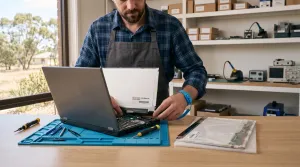
MacBook Battery Replacement: How to Identify and Fix Faulty Batteries

A faulty MacBook battery can be frustrating, affecting your device’s portability and productivity. Whether it’s rapid battery drain, overheating, or unexpected shutdowns, recognising the signs of a failing battery is essential. In this article, we’ll guide you through identifying a faulty MacBook battery, troubleshooting the problem, and


2 min read PC Experts
Computer Help

MacBook Running Slow? 10 Safe Ways to Speed It Up

Find what is slowing your MacBook and work through 10 safe fixes, from Activity Monitor and storage checks to safe mode, backups and diagnostics.

8 min read PC Experts
Computer Help

MacBook Hardware Issues: 10 Common Problems and How to Fix Them

MacBooks are renowned for their sleek design and reliable performance. However, like any piece of technology, they are not immune to hardware issues. From overheating to unresponsive keyboards, these problems can disrupt your workflow and lead to frustration. This guide covers the most common MacBook hardware issues and practical solutions

3 min read PC Experts
Computer Help

Professional Technicians: Key Benefits of Onsite Support for Businesses

In today’s fast-paced business environment, maintaining efficient IT systems is critical to productivity. Technical issues can disrupt workflows, causing delays and frustration. One of the most effective solutions to these challenges is having professional technicians visit your location for onsite support. This blog will explore the benefits of onsite

3 min read PC Experts
Computer Help

How Onsite Repair Services Can Improve Your Business Productivity

In the modern business world, technology is the backbone of daily operations. From managing communications to processing data, businesses rely heavily on IT systems. However, when technology fails, the impact on productivity can be significant. This is where onsite repair services come into play. These services address technical issues directly

2 min read PC Experts