
Why Wi-Fi Struggles in Double-Brick Perth Homes (and What Actually Fixes It)
Double-brick construction is why Wi-Fi struggles more in many Perth homes than elsewhere in Australia. Here's the physics behind it, and what actually helps.
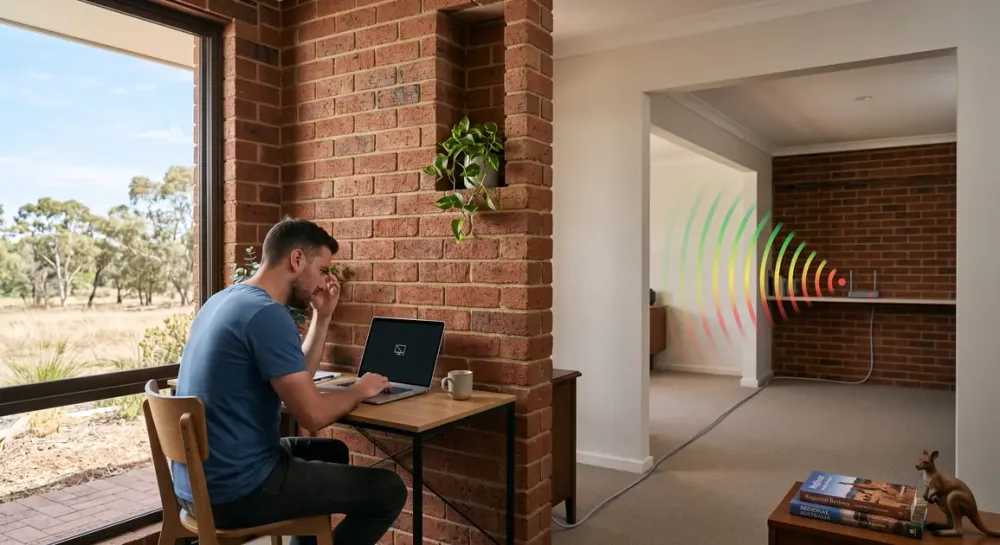
If you've moved the router, bought an extender, and your Wi-Fi still drops out in the back room, there's a good chance the problem isn't your equipment. It's your walls.
Perth has more double-brick homes than any other Australian city, and that construction choice has a direct, measurable effect on how far a Wi-Fi signal actually travels. This isn't a vague "thick walls" problem — it's a specific, well-understood one, and once you understand it, the fixes that actually work (and the ones that don't) make a lot more sense.
What You'll LearnDouble-brick walls block far more Wi-Fi signal than the plasterboard or timber-framed walls common in most other Australian states.Roughly two in three WA houses are built this way — more than anywhere else in the country.A Wi-Fi extender usually makes a double-brick dead zone worse, not better, because it just rebroadcasts an already-weak signal.Router placement helps first, and it's free. For real dead zones, wired-backhaul access points or mesh beat a plain extender.
Why Double Brick Is Harder on Wi-Fi Than Other Perth Homes
Brick and concrete absorb far more Wi-Fi signal than the plasterboard or timber-framed walls common in most Australian homes, and double-brick construction — two brick skins with a cavity in between — compounds that.
"Double brick" doesn't mean a thicker single wall. It means two separate brick leaves, usually with a small air gap between them, built as one structural wall. A single-brick veneer wall (common in newer framed homes) is already harder on Wi-Fi than plasterboard. A full double-brick wall is harder again, because the signal has to pass through two brick leaves instead of one.
Here's how much signal different wall types typically absorb, based on planning figures from wireless deployment standards:
Wi-Fi Signal Loss by Wall MaterialTypical Wi-Fi signal attenuation ranges by wall material and frequency band, per wifiweave.com (citing ITU-R P.1238 and IEEE 802.11 deployment data): Plasterboard/timber interior wall: 3-6 dB at 2.4GHz, 4-8 dB at 5GHz. Single brick wall: 6-10 dB at 2.4GHz, 10-15 dB at 5GHz. Solid concrete wall: 10-15 dB at 2.4GHz, 15-25 dB at 5GHz. A separate real-world measurement from Batra.ai of a double-brick cavity wall found approximately 30 dB of attenuation at 5GHz, shown as a reference line since it is a specific measured example rather than a typical planning range.0102030 dB3–64–8Plasterboard /timber wall6–1010–15Singlebrick wall10–1515–25Solidconcrete wallDouble-brick cavity wall (real-world, 5GHz): ~30 dB2.4GHz (typical range)5GHz (typical range)Source: wifiweave.com (ITU-R P.1238 / IEEE 802.11 data); double-brick reference: Batra.aiSource: wifiweave.com, citing ITU-R P.1238 and IEEE 802.11 deployment data; double-brick reference figure from Batra.ai.
A plasterboard interior wall loses somewhere around 3–8 dB, depending on the band. A single brick wall is about double that. Solid concrete doubles it again. And a double-brick cavity wall — the actual construction most Perth homes use for exterior and often interior load-bearing walls — isn't just "a brick wall but thicker." It's closer to two brick walls in a row, one signal has to pass through after the other.
Why Perth Specifically Struggles More Than Other Australian Cities
This isn't a universal Australian problem. It's concentrated in Western Australia, because of how homes here are actually built.
A Housing Industry Association–commissioned report found that 68% of detached houses in WA are built with double brick, compared with just 2% in the ACT (ABC News, "Double brick dominates Perth homes", 27 June 2026). Perth is, by a wide margin, the double-brick capital of Australia.
Why does WA build this way when almost nowhere else does? Mostly the soil. Perth sits on sandy ground that's very stable, with little of the seasonal ground movement that causes cracking in some other building methods, and double brick has historically suited that well. It's a genuinely sound building choice — it's just not a Wi-Fi-friendly one.
If you've read general Wi-Fi troubleshooting advice written for a broader (often American) audience and found it didn't quite solve your problem, this is probably why. Most of that advice assumes timber-framed or plasterboard walls. Yours are brick, and the maths is different.
Why a Wi-Fi Extender Usually Makes This Worse, Not Better
An extender doesn't create a new, stronger signal. It rebroadcasts whatever signal reaches it — and in a double-brick home, that signal is already weak by the time it gets there.
Real-world measurements back this up. One case study of a double-brick cavity wall (two brick skins with a cavity, the same construction common across Perth) found around 30 dB of attenuation at 5GHz (Batra.ai, "Wi-Fi Dead Zones: Why They Happen & How to Fix"). That's not a marginal loss. Every 3 dB lost halves the signal's power, so 30 dB works out to somewhere in the order of a thousand-fold drop by the time it's through the wall.
Put an extender on the far side of that wall, and it picks up whatever's left of a signal that's already lost most of its strength — then rebroadcasts that weakened signal into the room. You end up with a connection that's technically present but still patchy, which is exactly the "I bought an extender and it barely helped" experience a lot of people report.
Why "Just Get Mesh" Isn't the Full Answer Either
Mesh Wi-Fi genuinely helps in most homes, but in a double-brick home specifically, it comes with a catch worth knowing about before you buy one.
Most consumer mesh systems connect their nodes to each other wirelessly, using the same 5GHz band for that "backhaul" link that they use to talk to your devices (Batra.ai). 5GHz is exactly the band that brick and concrete attenuate worst. So if you put a mesh node in a room on the far side of a double-brick wall, that node can struggle to hold a strong connection back to your main unit — for the same reason your original Wi-Fi struggled to reach that room in the first place.
This is genuinely under-covered advice. "Just get a mesh system" is common, reasonable-sounding guidance, and it often works fine in a timber-framed home. In a double-brick home, it can quietly underperform unless the nodes are connected by a wired (Ethernet) backhaul instead of a wireless one.
What Actually Helps in a Double-Brick Home
Start with router placement — it's free, and it's worth ruling out before buying anything.
Photo: "home wi-fi wireless network" by osde8info, licensed CC BY-SA 2.0.
If you haven't already worked through the basics — router placement, an NBN outage check, restarting equipment properly, ruling out a single misbehaving device — run through these checks first; this article picks up from where that one leaves off rather than repeating it.
If the basics don't fix a genuine dead zone, the next step depends on whether cabling is practical in your home. A mesh system with wired backhaul, or dedicated wireless access points connected by Ethernet, sidesteps the brick-attenuation problem entirely for the connection that matters most — the link between your network's core and the hardware serving that dead room. A plain extender, as covered above, doesn't. Our professional Wi-Fi setup and optimisation service covers exactly this kind of assessment and cabling decision.
Getting It Properly Assessed
Not every double-brick Wi-Fi problem needs a site visit — plenty are solved by moving the router or swapping a tired unit for a current one. But when a dead zone persists after the basics are ruled out, the house's actual construction and cabling options matter more than any single piece of hardware, and that's genuinely easier to assess in person than to guess at from a product page.
If you've tried the obvious fixes and you're still stuck, book a Wi-Fi coverage assessment and we'll work out what's actually happening in your specific home before recommending anything.
Frequently Asked Questions
Does brick actually block Wi-Fi signal?
Yes. Brick and concrete absorb substantially more Wi-Fi signal than plasterboard or timber-framed walls — see the attenuation figures above. A double-brick cavity wall, common in Perth, compounds this further because the signal passes through two brick leaves rather than one.
Will a Wi-Fi extender work in a double-brick house?
It can help a little for a single nearby room with a mild signal issue. For a genuine dead zone caused by double-brick construction, it's a poor fix, because it just rebroadcasts an already-weakened signal rather than creating a fresh one.
Is mesh Wi-Fi worth it for a double-brick home?
Often yes — but check whether the system's backhaul (the link between nodes) is wired or wireless. Wireless backhaul on 5GHz runs into the same brick-attenuation problem as your original signal. Wired backhaul avoids it.
Key Takeaways
- Double-brick construction is a real, physical reason Wi-Fi struggles more in many Perth homes — it's not an imagined problem or a faulty router by default.
- Extenders tend to compound a double-brick dead zone rather than fix it, because they rebroadcast an already-weak signal.
- Wired backhaul matters more in a double-brick home than in a timber-framed one, because wireless mesh backhaul shares the same weakness as the original Wi-Fi signal.
- Start with router placement — it's free — before considering hardware changes.